
Web Development
Web Development strategies, numbers, and field notes from Mission Insights.
Why Your Website Is Quietly Costing You Clients (And What to Do About It)
You spent good money building it. You put your logo on it, your services, maybe even a nice photo of your team. But here’s the uncomfortable truth most business owners don’t want to hear:
The Complete Website Conversion Optimization Guide for Professional Services (50+ Tactics)
Podcast episodeTurn more website visitors into leads with better speed, trust signals, UX, CTAs, mobile design, analytics, security, accessibility, and testing.
Website Accessibility: Why 15% of Your Prospects Can't Use Your Site (Quick Wins)
Podcast episodeImprove website accessibility with quick fixes for color contrast, alt text, keyboard navigation, form labels, captions, and usability so more prospects can use your site.
Website Legal Compliance: The Costly Mistakes Professional Services Make (Checklist)
Podcast episodeProtect your professional services website with legal compliance basics like privacy policies, terms, cookie consent, GDPR, disclaimers, copyright notices, and accessibility checks.
Website Speed & Security: The Hidden Conversion Killers Costing You 40% of Visitors
Podcast episodeFix speed and security issues that cost conversions, from slow load times and image bloat to weak HTTPS, poor hosting, plugin clutter, caching gaps, and mobile performance.
The Invisible Website Infrastructure Killing Your Marketing ROI (Checklist Included)
Podcast episodeTrack the website infrastructure that drives marketing ROI, including GA4, Google Tag Manager, Meta Pixel, event tracking, schema markup, call tracking, heatmaps, and attribution.
The 8th-Grade Reading Test Your Professional Website Failed (And Why It Matters)
Podcast episodeImprove website readability with clear language, short sentences, simple words, headings, summaries, and an eighth-grade reading level so more prospects understand and act.
Why Your Website Asks for Business Once (When It Should Ask 6 Times)
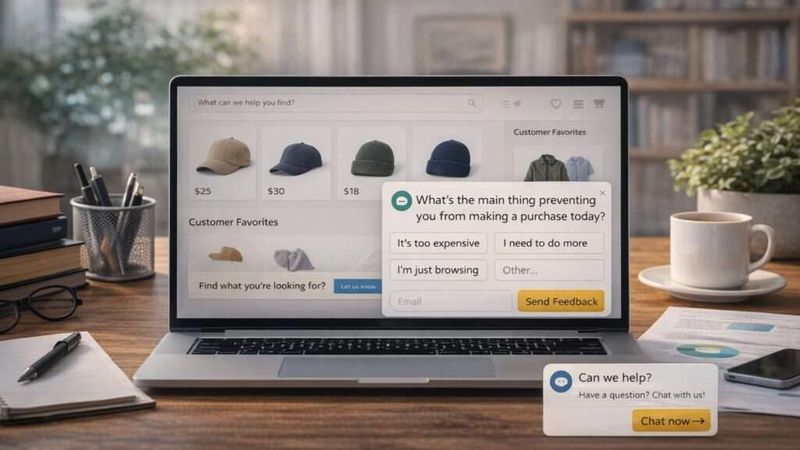
Podcast episodeUse stronger website conversion mechanics with multiple CTAs, repeat touchpoints, customer surveys, reviews, trust signals, and clear next steps that match each visitor’s intent.
The 7 Trust Signals Missing From Most Professional Service Websites (With Examples)
Podcast episodeBuild website trust with verified reviews, third-party badges, clear contact details, real team photos, policies, HTTPS security, and media mentions that help prospects feel safe.
Why Professional Service Websites Fail the 3-Second First Impression Test (And How to Fix It)
Improve your website’s first impression with faster load times, clear headlines, mobile-friendly design, trust signals, real photos, simple copy, and strong calls to action.
5 Essentials for Scaling Your Digital Presence as a Finance Firm
Scale a finance firm’s digital presence with compliance-ready infrastructure, trusted personalization, useful content tools, API integrations, privacy controls, and stronger digital trust.
How to Create Custom Web Apps for Asset Managers Tracking Market Movements
Build custom web apps for asset managers with real-time data, workflow-focused dashboards, secure permissions, API integrations, scalable tech stacks, testing, and market-ready flexibility.
How to Optimize Your Law Firm’s Website for Speed and Client Retention
Improve law firm website speed and client retention with faster load times, image compression, caching, better hosting, simple navigation, mobile UX, trust signals, and clear contact paths.
Legal Compliance Checklist: Is Your Small Business Website Up to Code?
Check small business website compliance with privacy policies, terms, ADA accessibility, GDPR, CCPA, SSL security, data protection, audits, and regular legal updates.
Crafting Compelling Web Copy: A Guide for Professional Service Firms
Write stronger web copy for professional service firms with audience research, compelling headlines, storytelling, SEO, trust signals, clear CTAs, scannable content, and consistent messaging.
5 Essential Legal Pages Every Website Need
Protect your website with essential legal pages, including a Privacy Policy, Terms & Conditions, Cookie Policy, Disclaimer, and Refund Policy that build trust and reduce legal risk.
Why Web Accessibility is Important and How to Improve Yours
Improve web accessibility with WCAG guidelines, accessibility audits, better color contrast, alt text, keyboard navigation, assistive technology support, and inclusive design.
How to Write Web Copy That Converts Visitors into Leads
Podcast episodeWrite web copy that converts visitors into leads with audience research, clear value propositions, benefit-driven headlines, simple language, strong CTAs, social proof, SEO, and A/B testing.
Why Web Accessibility is Important for Your Business and How to Improve It
Improve website accessibility with ADA and WCAG guidance, alt text, color contrast, accessibility audits, keyboard navigation, clear content, inclusive design, and regular testing.
Why Website Speed Matters: 5 Ways to Improve Your Load Times
Podcast episodeImprove website speed and load times by optimizing images, enabling browser caching, reducing redirects, using a CDN, and minifying JavaScript and CSS for better performance.
Is Your Slow Website Costing You Clients? Speed Up with These 5 Tips
Speed up a slow website with image optimization, code minification, browser caching, CDNs, fewer redirects, better hosting, performance audits, and mobile optimization.
User Experience Mistakes That Are Driving Your Visitors Away
Podcast episodeFix common UX mistakes with clearer navigation, faster load times, consistent branding, cleaner design, mobile responsiveness, strong CTAs, analytics, and user feedback.
Enhance Your Website's User Experience: 5 Proven Strategies for Small Businesses
Improve small business website UX with simple design, faster load speed, mobile responsiveness, accessibility, user research, clearer navigation, and ongoing testing.
Mobile Mastery: Optimizing Your Website for Seamless Device Experiences
Optimize your website for mobile with responsive design, faster load times, touch-friendly UX, intuitive navigation, mobile SEO, local search, and seamless experiences across every device.
Designing Delight: Navigating Tips for Creating a Seamless User-Friendly Website
Create a user-friendly website with user testing, psychology-based design, responsive layouts, faster page speed, microinteractions, accessibility, keyboard navigation, and inclusive UX.
Building Blocks: The Essential Components of a Strong Online Presence
Build a strong online presence with user-centric design, responsive layouts, fast performance, engaging content, brand consistency, mobile optimization, security, privacy, and continuous improvement.
Digital Foundations: The Pivotal Role Your Website Plays in Online Visibility
Build online visibility with a strong website through clear design, better UX, helpful content, SEO, analytics, social integration, lead capture, and ongoing updates.
Why User Experience is Critical for Website Success
Improve website UX with clear navigation, fast pages, simple design, useful content, strong visuals, mobile access, and smoother paths that help visitors act.
Web Design vs. Web Development: What's the Difference?
Explain web design vs. web development by comparing visuals, UX, layout, and branding with coding, functionality, responsive performance, SEO, and technical maintenance.
Vital Tools for Seamlessly Testing Website Responsiveness
Test website responsiveness with mobile checks, browser testing, real device tools, automated scans, user monitoring, and regular reviews across devices.
Exploring the Surge of Mobile Internet Usage Globally
Explore mobile internet growth through 1G to 5G, global usage trends, smartphones, apps, infrastructure, mobile commerce, security challenges, and future tech.
Mobile-Friendly Website Design: Tips from Atlanta Web Design Company
Create a mobile-friendly website with responsive design, faster load times, concise content, simple navigation, touch-friendly actions, readable fonts, and UX testing.
Mastering the Fundamental Principles of Dynamic Responsive Design
Master dynamic responsive design with fluid grids, flexible images, media queries, personalization, AI-assisted adaptation, faster load times, and cross-browser testing.
Do's and Don'ts of Incorporating Stock Photos into Your Website
Use stock photos wisely by choosing relevant images, checking licenses, customizing visuals, compressing files, avoiding competitor overlap, and adding SEO-friendly names and alt text.
What’s the Deal? Mobile-First vs Responsive Design for Websites
Compare mobile-first and responsive design by weighing mobile UX, flexible layouts, audience device habits, content needs, scalability, and future web trends.
4 Must-Have Features for Your Atlanta Website Design - Get It Right the First Time!
Design a stronger Atlanta website with clear UX, quality images, responsive layouts, SEO-focused content, interactive features, and a mobile-first approach.
The Ultimate Guide to Improving Website User Experience
Improve website UX with user-focused design, simple navigation, mobile optimization, faster load times, accessibility, feedback, and analytics-driven updates.
Common Website Security Threats and How to Prevent Them
Prevent website security threats like malware, XSS, SQL injection, DDoS, and phishing with updates, 2FA, strong passwords, HTTPS, SSL, backups, firewalls, and secure hosting.
Building a Commerce Website, Step by Step
Build an eCommerce website by defining goals, choosing the right platform, improving design, product content, checkout flow, security, branding, and user experience.
The Importance of Endpoint Security in Digital Marketing
Use endpoint security to protect digital marketing systems from unauthorized access, malware, phishing, data theft, performance issues, and customer trust risks.
The Role of SSL Certificates in Website Security
Use SSL certificates to protect website data, encrypt transactions, verify site identity, build visitor trust, reduce security risks, and support stronger SEO visibility.
How Do You Design and Develop a Website?
Design and develop a website through research, UX design, front-end and back-end development, testing, content creation, launch, maintenance, security, and ongoing updates.
What Are the Benefits of Custom Website Development?
Choose custom website development for stronger branding, better UX, improved SEO, a more professional presence, flexible features, and a scalable site that grows with your business.
Web Development Agency Hiring 101: What to Look for Before Signing on the Dotted Line
Choose a web development agency by reviewing its portfolio, technical skills, communication process, UX approach, project management, pricing, contract terms, and fit with your goals.
Open Sesame: Unlocking the Benefits of Open-Source Technology in Web Development
Use open-source technology in web development to reduce costs, customize projects, improve flexibility, tap into developer communities, and build with trusted tools.
Framework Frenzy: Navigating the World of Web Development Frameworks
Choose the right web development framework by weighing language, project complexity, app type, community support, scalability, maintainability, and long-term fit.
Why a Web Application is the Key to Unlocking Your Business's Potential
Use a web application to grow your business with better customer access, automation, mobile-friendly tools, smoother operations, stronger engagement, and scalable digital experiences.
Responsive Design: Why Your Website Needs It
Use responsive design to create a mobile-friendly website that improves UX, adapts to every screen, supports SEO, and simplifies long-term site maintenance.
Get Ahead of the Game: The Top 10 Web Development Trends to Watch in 2023
Explore 2023 web development trends like AI, PWAs, voice search, chatbots, Motion UI, SPAs, VR/AR, cybersecurity, SSL, and better user experiences.
Why Outsourcing Web Development Makes Good Business Sense
Outsource web development to save costs, access skilled talent, scale faster, focus on core business work, and keep your website current with digital trends.
Creating a Website as a Resource for Your Internal Team
Create an internal website to organize team resources, improve onboarding, share updates, manage tasks, support collaboration, and keep employees aligned.
Why Having Users Log In to Your Website Might Be a Feature Worth Having
Add a website login feature to qualify prospects, create exclusive content, support memberships, build authority, improve targeting, and drive recurring revenue.
3 Tips to Better Display Information on Your Website
Display website information better with clear formatting, strong headings, visuals, infographics, shorter copy, simple sentences, and a less-is-more content strategy.
The Importance of Testing in Your Web Development
Test your web development to improve speed, navigation, responsive design, security, stability, user experience, search rankings, and conversion rates.
Why You Need an Internal Search Feature on Your Website
Add internal site search to improve navigation, help visitors find content faster, reveal keyword insights, increase engagement, and support more conversions.
Deciding How Many Pages Your Website Should Have
Decide how many website pages you need by aligning page goals, SEO needs, user experience, blog content, landing pages, and your law firm’s sales process.
The Role of Graphic Design in Web Development
Use graphic design in web development to improve branding, visual appeal, user experience, engagement, SEO support, clear CTAs, and client conversions.
How Storage Space, Bandwidth, and Databases Affect Your Website
Improve website performance by managing storage space, bandwidth, hosting, databases, file sizes, traffic spikes, and cleanup to support faster load times.
Why Having Access to Your Website’s Backend is So Important
Access your website backend to update content, manage databases, improve SEO, test CTAs, fix user experience issues, and keep your site performing well.
5 Ways to Improve Customer Satisfaction on Your Website
Improve customer satisfaction with faster support, smarter website design, live chat, loyalty programs, and performance tracking that reduces cart abandonment.
Browser Compatibility is Essential to Today’s Website Design...Here’s Why
Use browser compatibility to keep your website working across Safari, Chrome, Firefox, and other browsers, improving user experience, traffic, and conversions.
Understanding the Web Design Process in 6 Simple Steps
Follow a clear web design process by defining goals, outlining the project, planning site structure, building pages, testing functionality, and maintaining performance.
4 Ways to Make Customer Support a Website Priority
Make customer support a website priority with visible contact options, organized ticket tracking, social media response, live chat, and faster communication.
Why do Successful Companies Have Bad Websites?
Explore why some successful companies have bad websites, and how strategy, usefulness, customer service, and business model matter more than polished design.
’90s Tech Icons: Where Are They Now?
A great nostalgic look for tech geeks from the 90's.































































The gap between you and the firm winning your market grows every day you don't close it.
The C4 Diagnostic™ takes under 3 minutes and shows you exactly where your competitor has the edge, across conversion, visibility, reviews, and AI search. Free. No sales call or credit card required to see your results.